Small check-ins. A clearer picture of every day.
ALS LifeKit lets you record how the day went in a few minutes, see how your abilities change over time, keep medications organized, and bring a clear summary to every appointment.
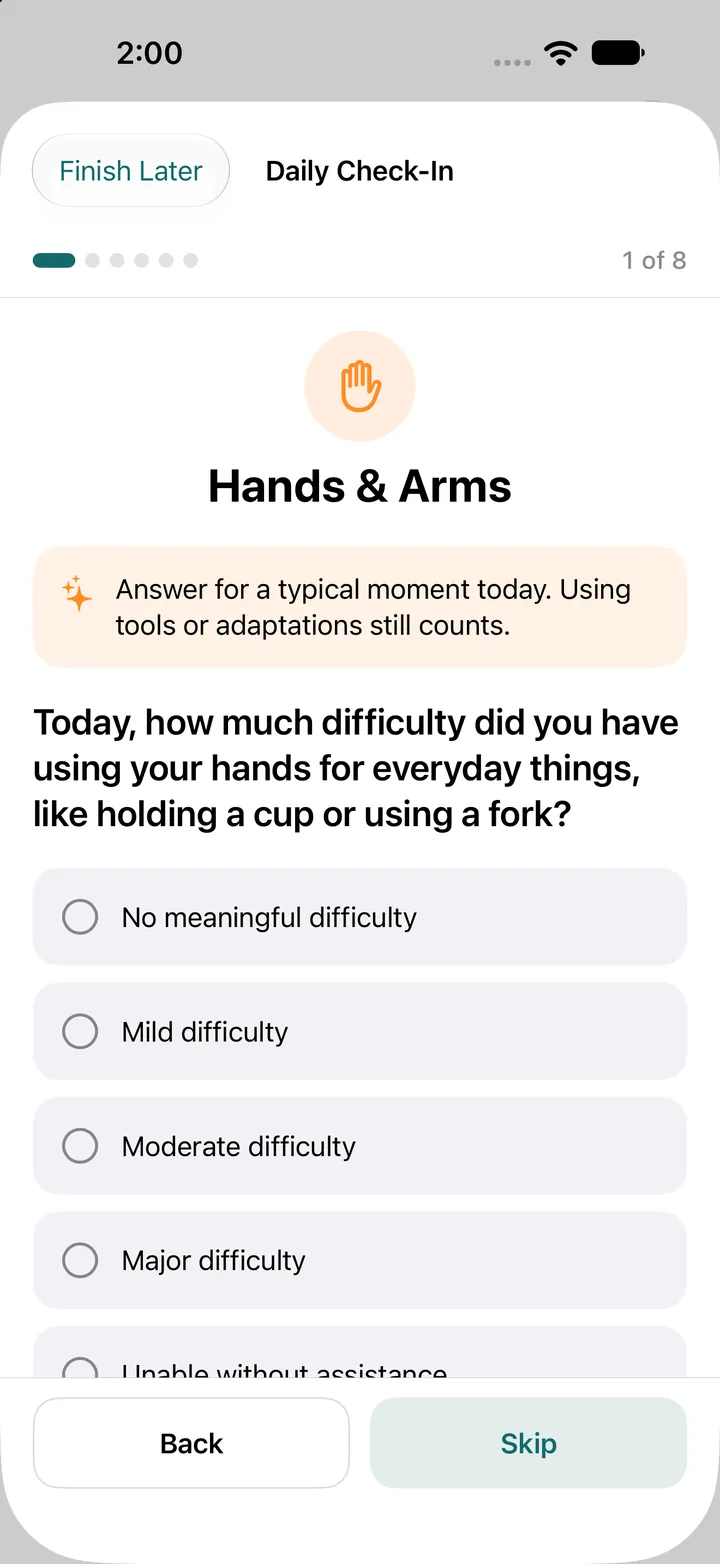
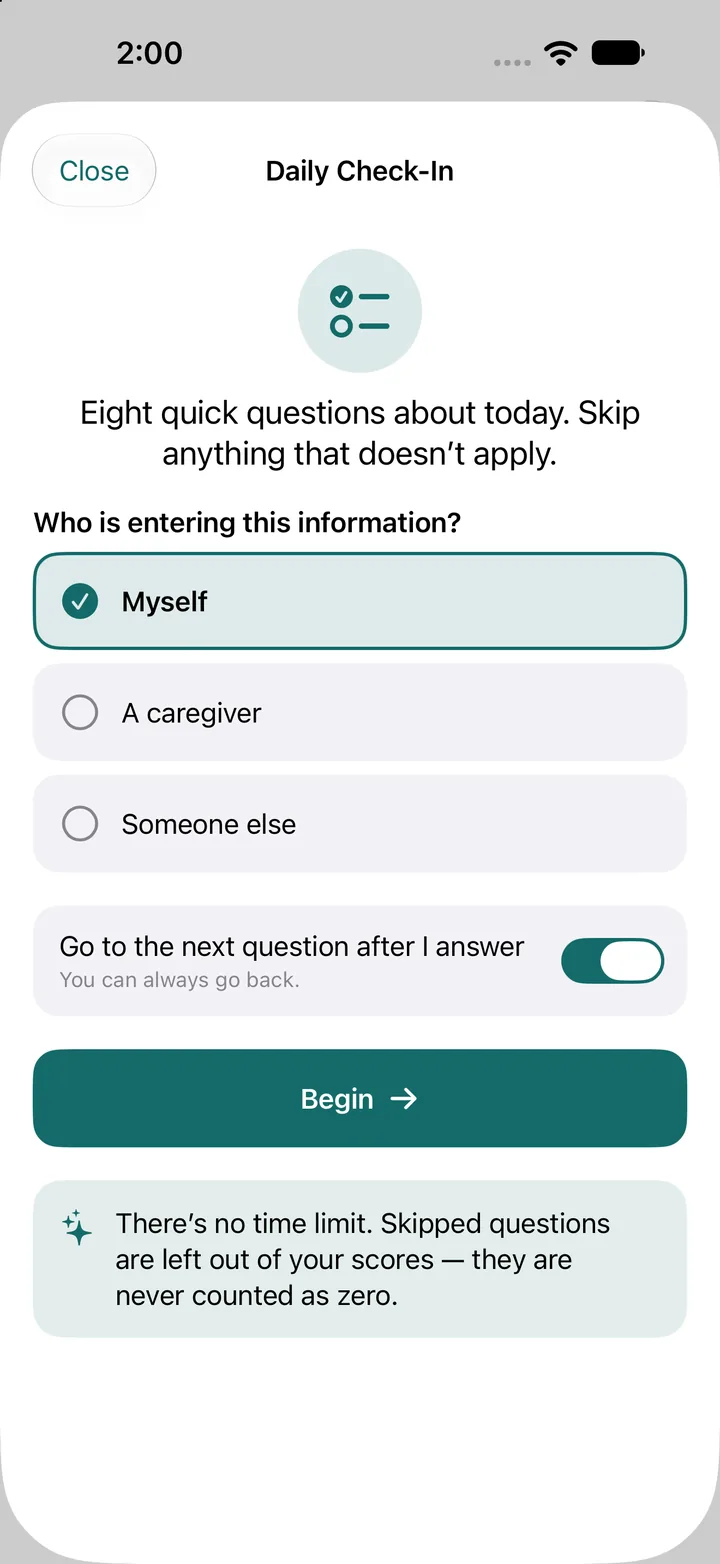
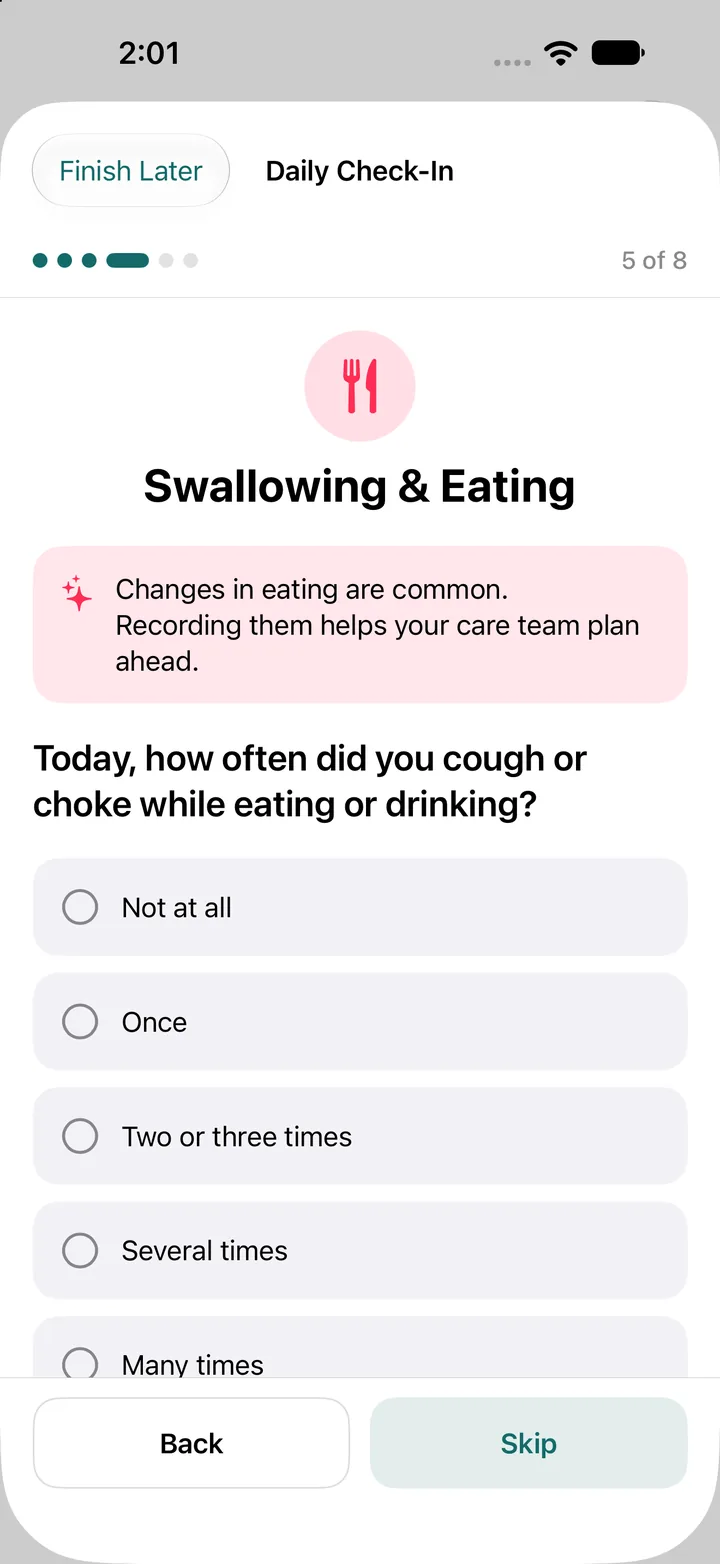
Skip anything that doesn’t apply. There’s no time limit, and skipped questions are never counted as zero.
About a few minutes
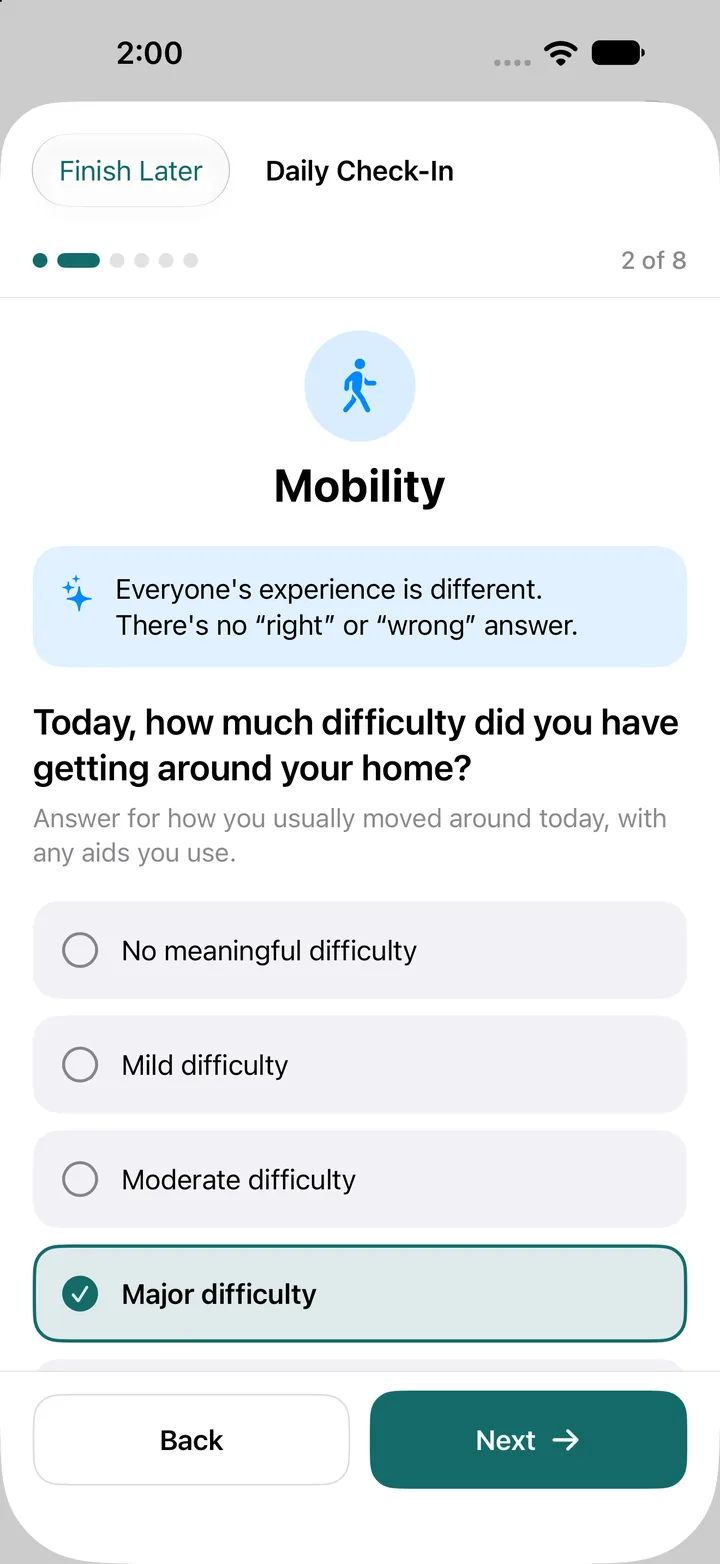
Eight quick questions about today. Answer for a typical moment, and using tools or adaptations still counts.
No right answers
Everyone’s experience is different. Skipped questions are left out of your scores, so they never count against you.
Yours to keep
Create a PDF health summary or a CSV export whenever you choose, and bring it to your care team.
Log the day without the overwhelm.
Each check-in covers six areas of daily life. Answer one question at a time, skip what doesn’t apply, and finish whenever you’re ready.
- Choose who is entering the information: yourself, a caregiver, or someone else.
- Turn on “Go to the next question after I answer” to move quickly, or go back at any time.
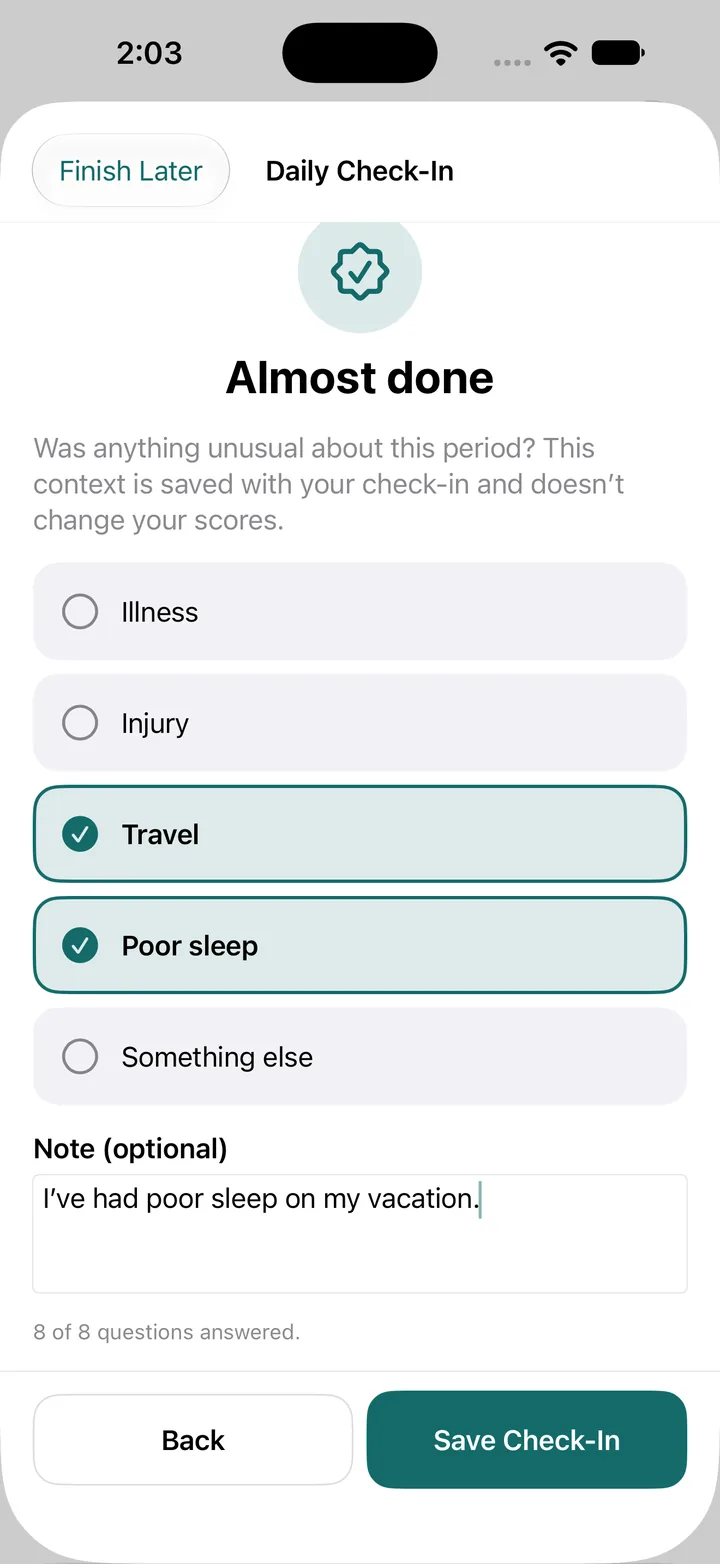
- Add context for unusual periods, like illness, injury, travel, or poor sleep. It’s saved with the check-in and doesn’t change your scores.
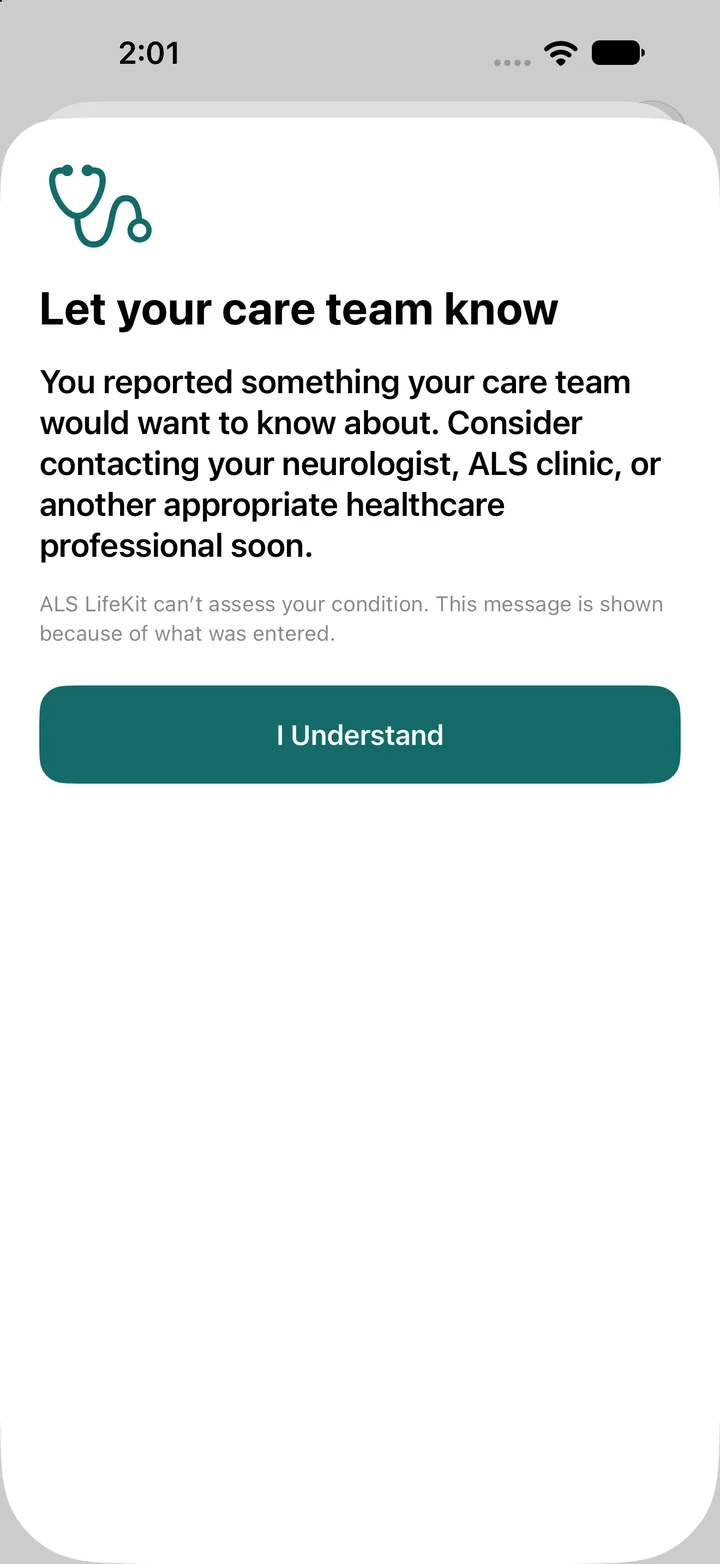
When something needs attention, LifeKit says so.
If a check-in reports something your care team would want to know about, LifeKit suggests contacting your neurologist, ALS clinic, or another healthcare professional soon.
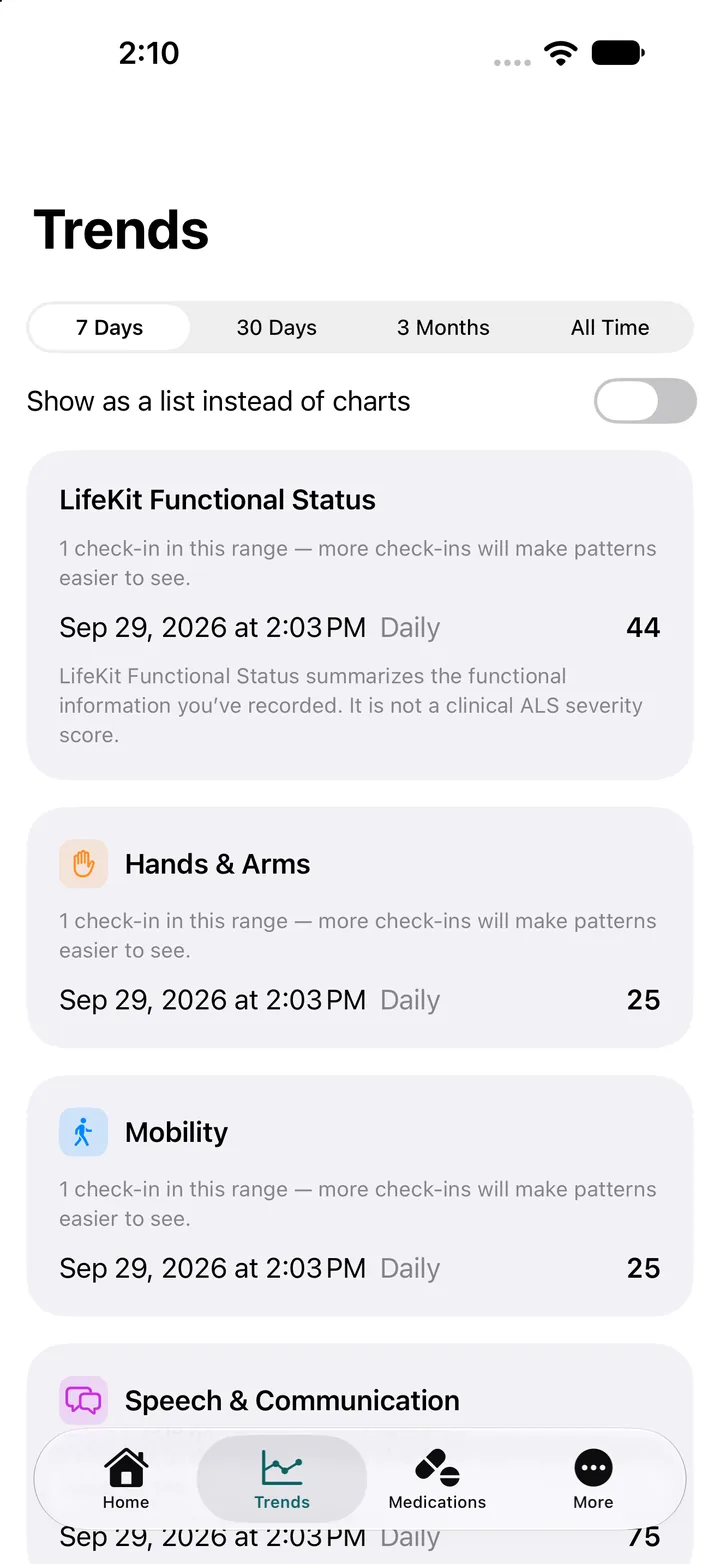
See how things change over time.
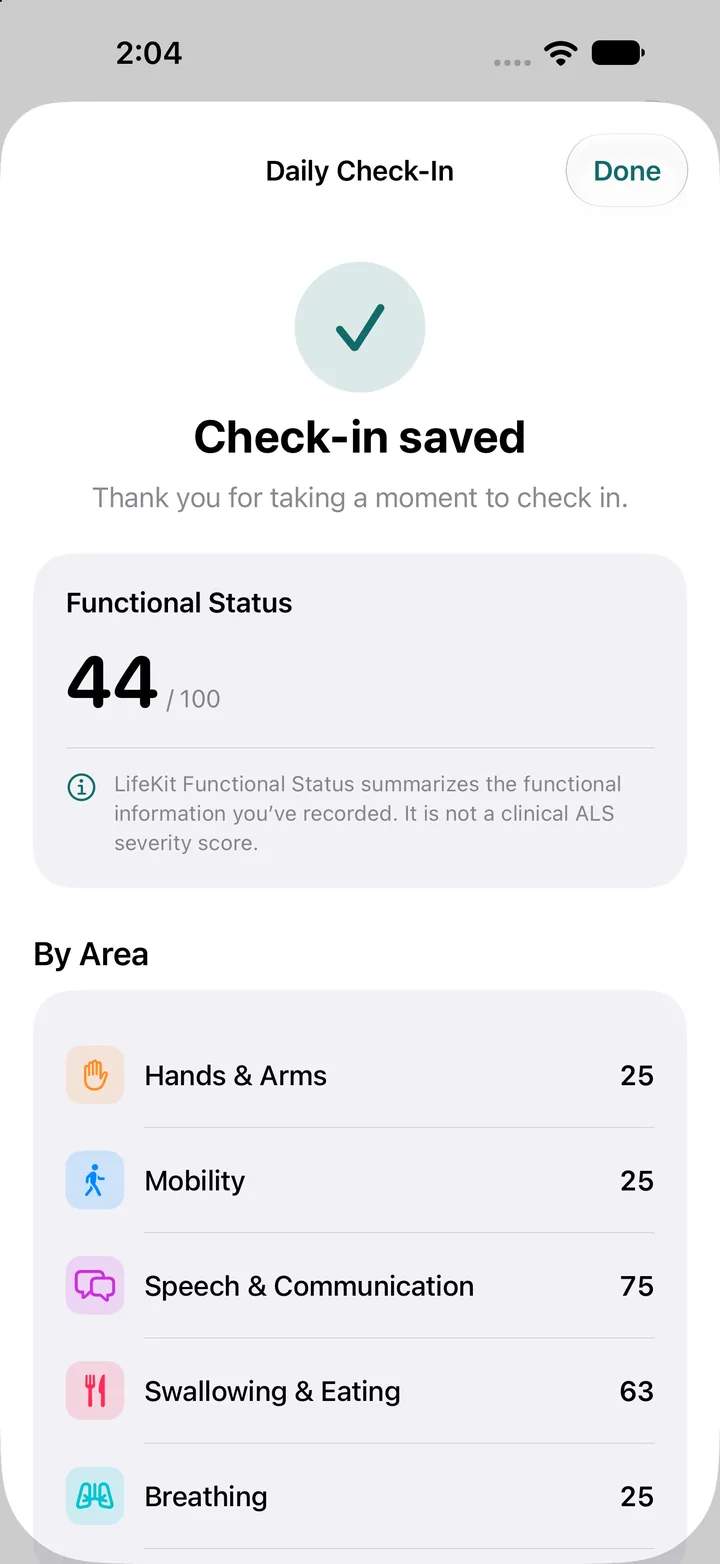
Each check-in updates your LifeKit Functional Status: a 0–100 summary of the functional information you record, broken down by area.
- View 7 days, 30 days, 3 months, or all time.
- Switch between charts and a simple list.
- Each area has its own trend, so you can see which parts of daily life are changing.
Summarizes the functional information recorded in this check-in.
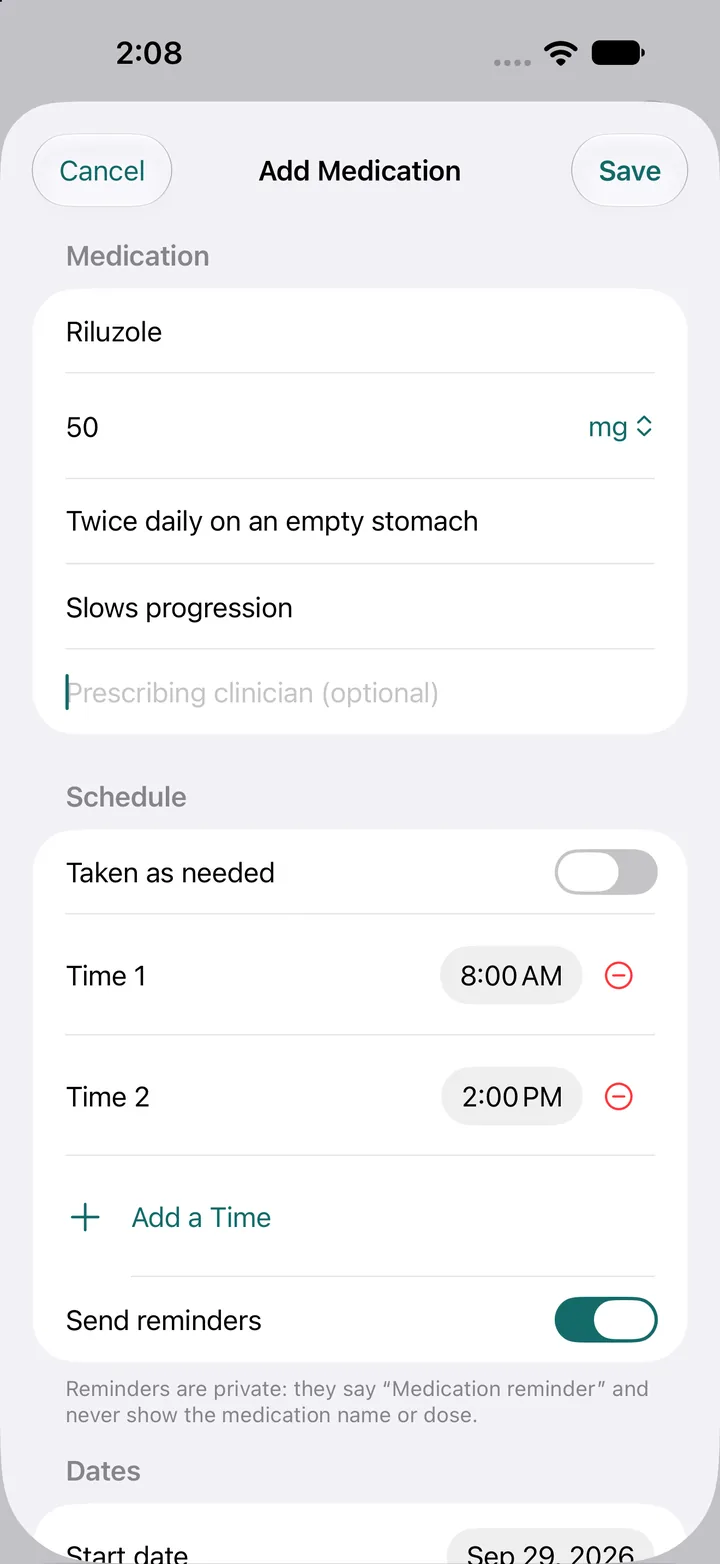
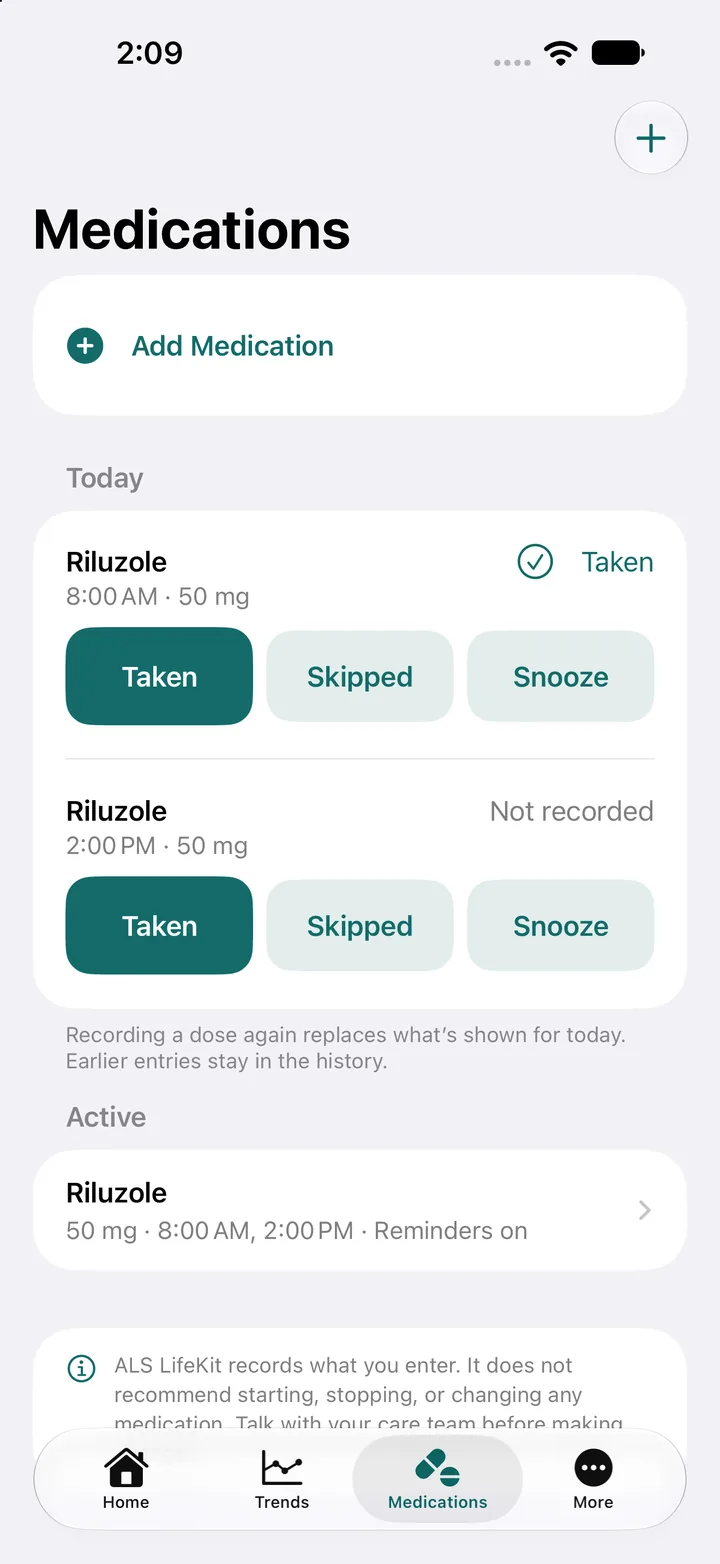
Keep your medications in one place.
Add each medication with its dose, schedule, and an optional prescribing clinician. Mark each dose as taken, skipped, or snoozed, and see today’s doses at a glance.
Private reminders
Reminders say “Medication reminder” and never show the medication name or dose.
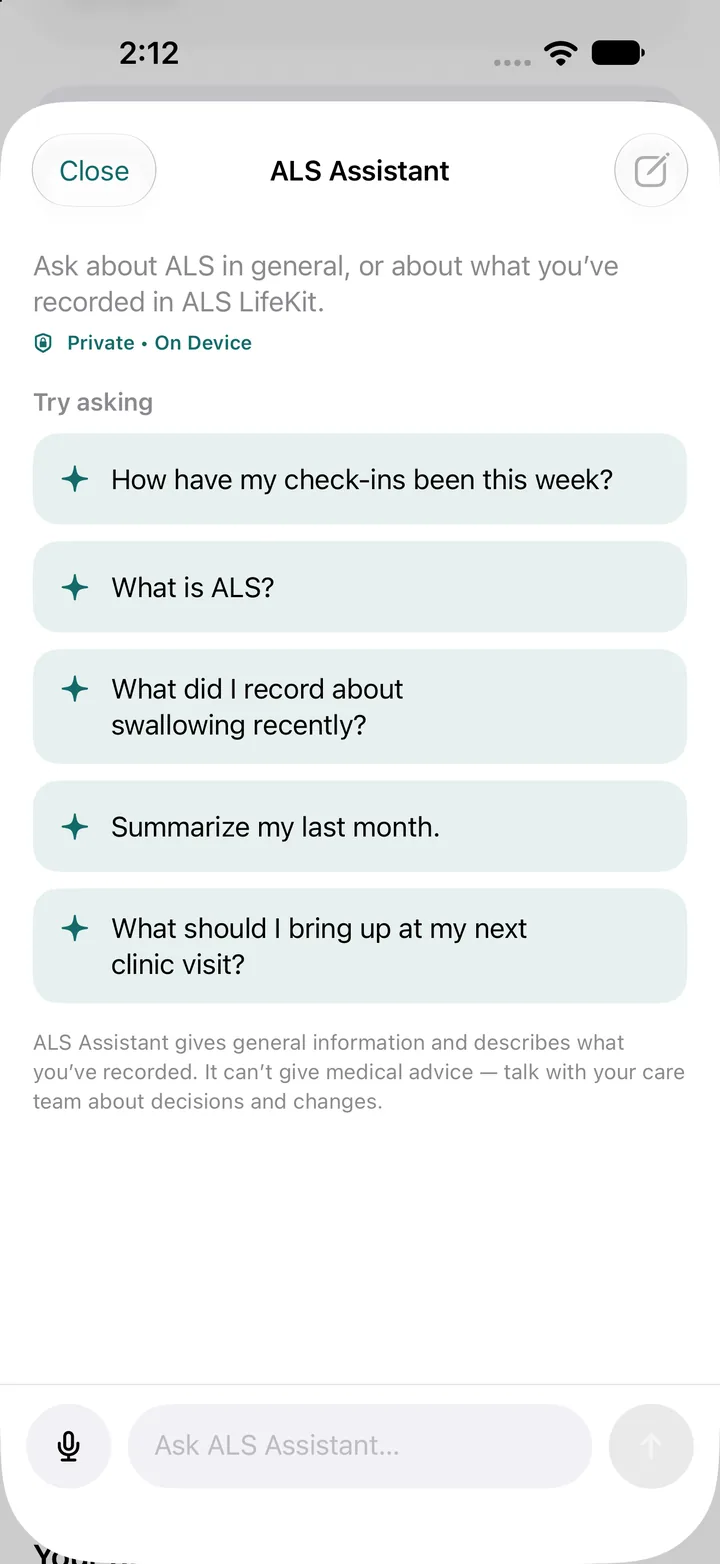
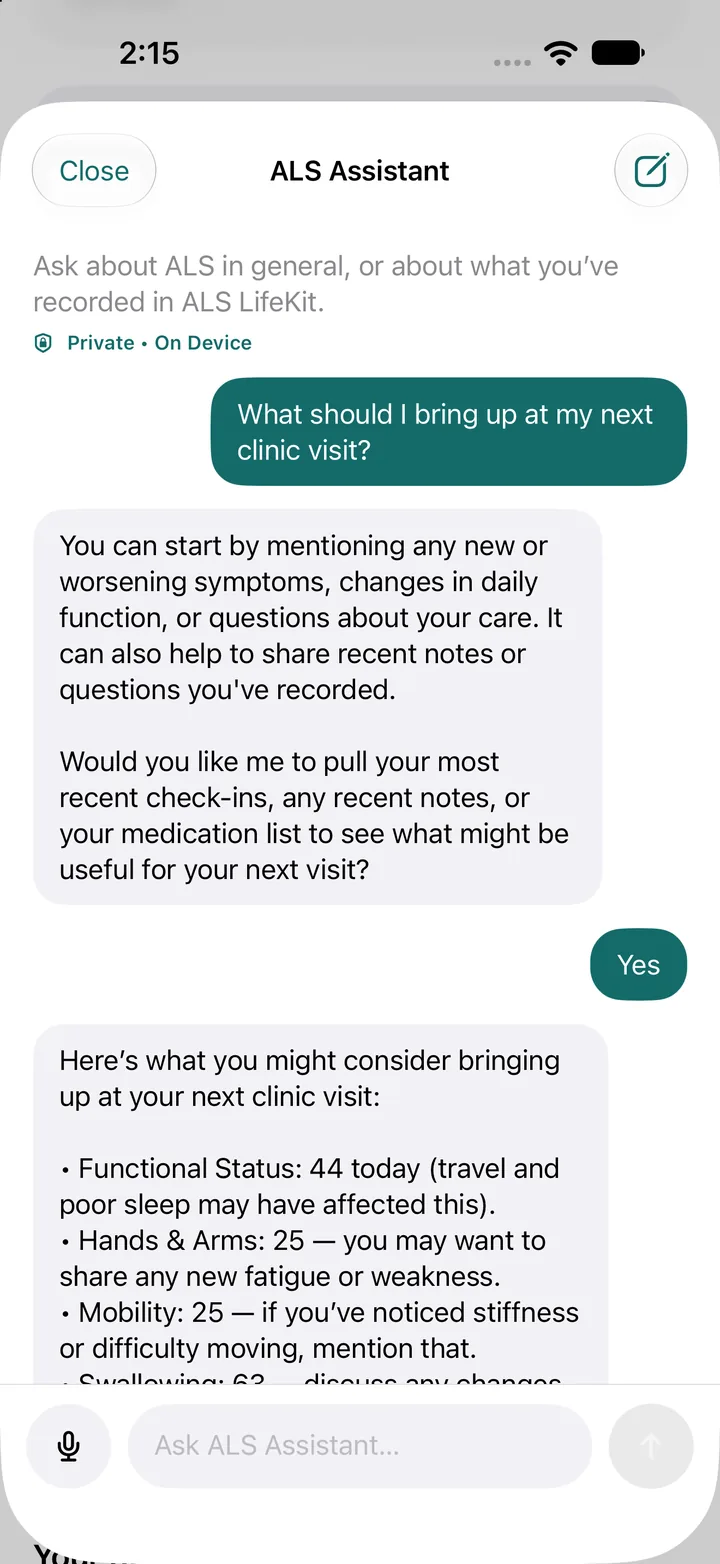
Ask about ALS and your records, privately.
Ask general questions about ALS, or about what you’ve recorded: recent check-ins, swallowing changes, or a summary of last month. The assistant runs on your device.
The assistant gives general information and describes what you’ve recorded. It can’t give medical advice. Talk with your care team about decisions and changes.
Bring a clear summary to every appointment.
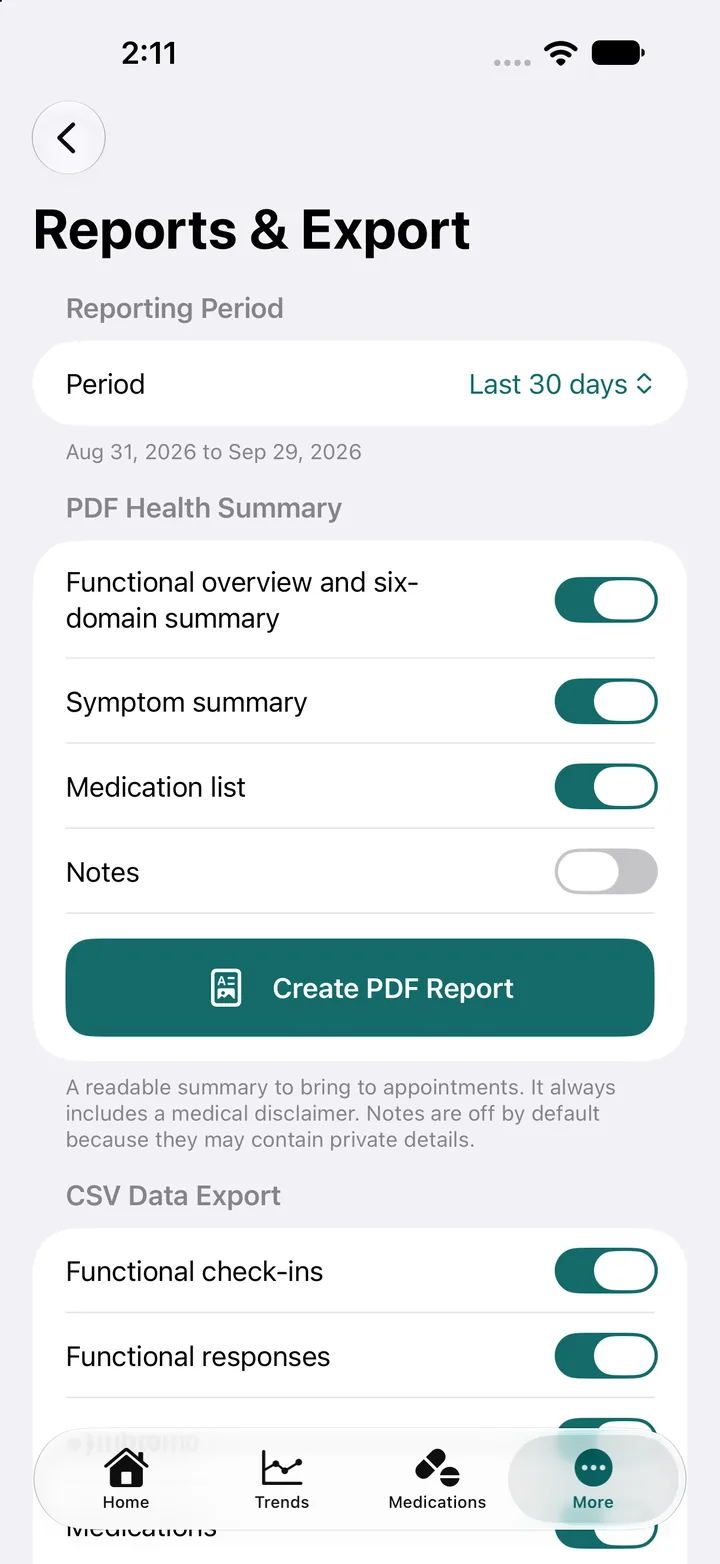
Choose a reporting period, then pick what to include. Your PDF health summary is designed to be read at a visit.
- PDF health summary: functional overview, six-area summary, symptom summary, and medication list.
- Notes stay off by default, because they may contain private details. Turn them on only when you want them included.
- CSV data export: functional check-ins, functional responses, and medications, for your own records.
Every PDF includes a medical disclaimer.
Your records. Your choices. Your care team.
PrivacyPrivate by design.
LifeKit is built so you decide what’s shared, what’s included in a report, and who sees your reminders.
Discreet reminders
Medication reminders never show the medication name or dose.
On-device assistant
The ALS Assistant runs on your device.
Exports you start
PDF and CSV files are created only when you choose to create them. Notes are off unless you turn them on.
Fair scores
Skipped questions are left out of your scores, never counted as zero.

Start with a few questions today.
Understand. Track. Prepare.
Use it at your own pace. Skip anything that doesn’t apply.